Design and edit plans for airport facilities and infrastructure for Flight Simulators 9 and X. Select a template or build a new model from scratch, add details and adjust the dimensions and placement. Check the integration of the modified model into the simulation.
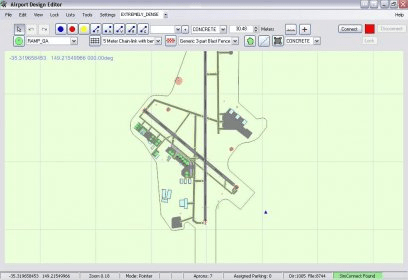
Airport Design Editor is a graphical CAD like application to create and design airports. It is intended for Microsoft Flight Simulator X program. This program has been developed by experienced airport designers and contains a lot of professional tools. This version has many new features and some changes. You can create terrain polygons: backgrounds, Land class polygons, terrains exclusions. You can put there railroads, roads, streams, flattens, water class, parking, taxiways, and so on. The runways creation process has been partly automated. On Sloping polygons you can now edit vertex points for flattens. Airport Design Editor can load Library objects, buildings, fuel triggers and windsocks from stock scenery files relating to the airport. These objects will be displayed on the screen, and you can edit, move or delete them. Also there is a Library objects manager, which allows you to manage these objects. Besides, the objects containing in Microsoft Flight Simulator X can be placed in your airport. The program comes with the help information – manual and tutorials. Also there is an error check function to suggest you if there is something wrong. To work with this application you should have Microsoft Flight Simulator X Deluxe version and .Net Framework 3.5 installed on your computer.







Comments (1)